
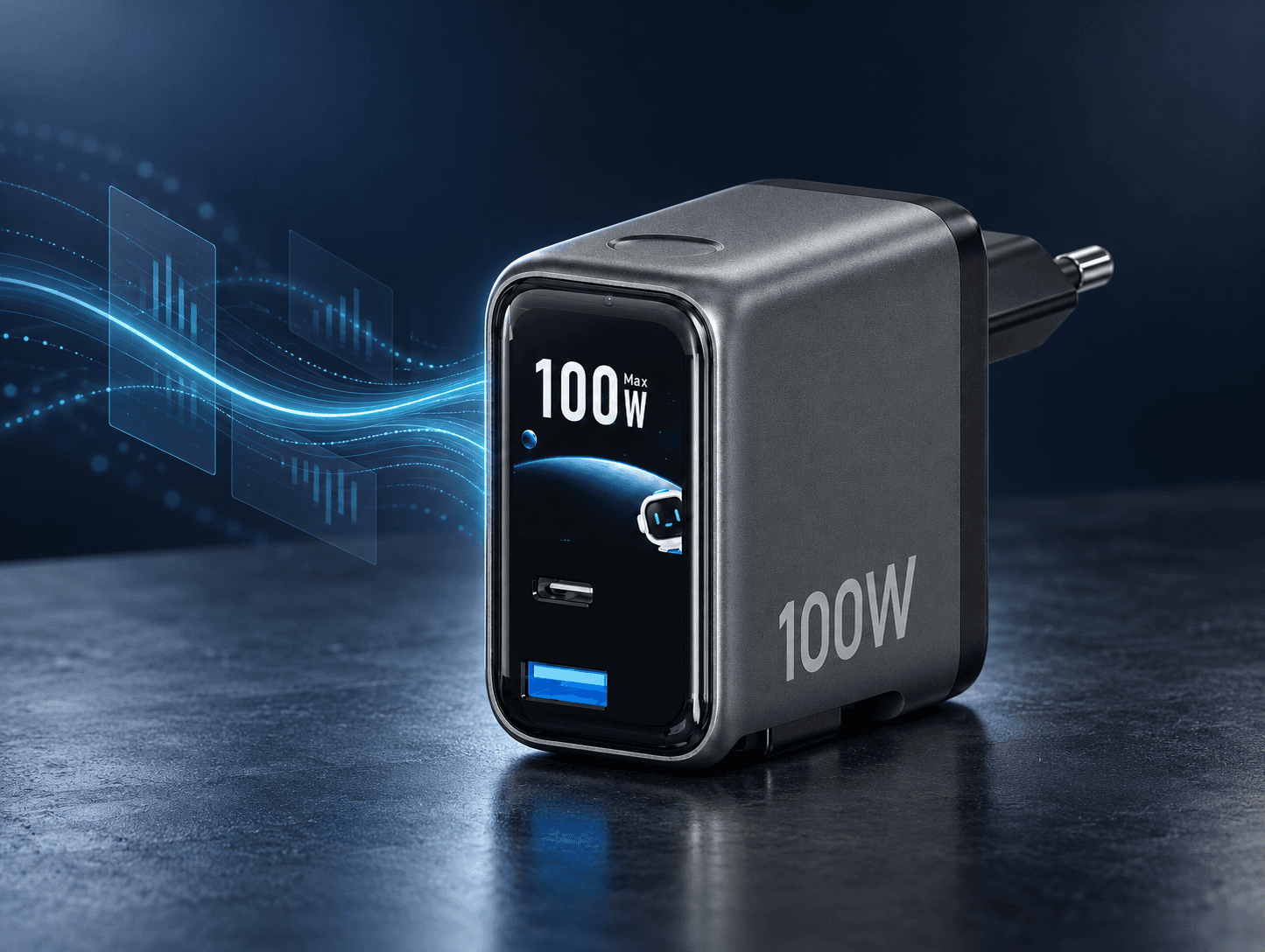
Why Do Chargers Have TFT Screens?
Beyond the wattage, what does a display really add to the charging experience?
A charger used to be something people plugged in and rarely thought about.
Today, one USB-C charger may power a smartphone, tablet, laptop, earbuds and other devices—sometimes at the same time. Each device may request a different voltage and power level, while the available output can also change with the cable, battery condition, temperature and number of connected devices.
USB Power Delivery makes this possible by allowing compatible devices to request the power they need and enabling more flexible power management. It makes charging more capable—but much of that process remains invisible to the user.
This is where a TFT display can become meaningful.
The real value of a charger screen is not the screen itself. It is its ability to turn invisible charging behaviour into information people can understand.
Consumers Do Not Need More Data. They Need Answers.
When consumers look at a charger display, they are rarely interested in electrical data for its own sake.
They are usually trying to answer a few simple questions:
- Is my device charging correctly?
- Has fast charging started?
- Why is the power lower than the number printed on the charger?
- What changed when I connected another device?
- Is the charger operating normally?
A well-designed interface should answer these questions quickly.
Real-time wattage can confirm that power is being delivered. Port indicators can show which connection is active. Charging animations can provide immediate feedback. On selected products, device-aware interfaces can also translate protocol communication into a more recognizable device or charging-status display.
This reduces uncertainty.
Instead of leaving users to guess what is happening inside the charger, the product provides visible confirmation that the charging process is active and responding to the connected device.
Why Does the Displayed Wattage Keep Changing?
One of the most useful roles of a charger display is also one of the most misunderstood.
A 100W charger does not continuously send 100W to every connected device. The number on the product represents its maximum rated output under defined conditions—not the amount of power every device will receive at all times.
Actual charging power may change according to:
- The power requested by the connected device
- The charging protocol supported by both products
- The capability of the USB-C cable
- The device’s current battery level
- Battery and system temperature
- The number of ports being used
- The charger’s power-allocation strategy
For example, a laptop may request relatively high power when its battery is low, then gradually reduce its demand as the battery fills. Connecting a second device may also cause the charger to redistribute its available output across multiple ports.
The changing number is not necessarily evidence of unstable charging. In many cases, it shows that the charger and device are actively managing power.
A useful screen should therefore do more than display a number. It should provide enough context for that number to make sense.
Functional Value Can Create Emotional Value
Does a TFT display provide emotional value?
Yes—but not simply because it is colourful or animated.
The deeper emotional value comes from three experiences:
1. Reassurance
A visible response tells the user that the connection has been detected and charging has started. This small confirmation can remove the familiar uncertainty of plugging in a device and wondering whether it is actually charging as expected.
2. Control
When users can see port status, current power or power redistribution, they feel that they understand the product rather than being excluded from what is happening inside it.
The charger becomes less like a sealed power brick and more like an understandable piece of technology.
3. Delight
Clear animation, thoughtful transitions and a distinctive interface can make an ordinary daily action feel more responsive and refined.
These micro-interactions are not a replacement for charging performance. They are a way of communicating performance more naturally.
The best emotional value comes from useful information presented beautifully.
A Display Turns Invisible Engineering Into a Visible Selling Point
For charging brands, this consumer experience creates direct commercial value.
Many of the most important qualities of a charger are difficult to demonstrate in a product photograph. Protocol compatibility, dynamic power allocation, temperature management and charging communication all happen inside the product.
A screen gives brands a way to make part of that engineering visible.
This can help a product:
- Communicate its capabilities more clearly in retail and e-commerce
- Create an immediate point of difference from conventional chargers
- Support a more premium and recognizable product position
- Make technical benefits easier for sales teams and consumers to understand
- Build a more memorable experience after the purchase
This is especially important in a market where many chargers have similar shapes, colours and wattage labels.
When industrial design alone is no longer enough to create differentiation, the interface becomes another part of the product identity.
From Logo Customization to Interface Customization
Traditional charger customization often focuses on exterior elements such as colour, logo printing, port configuration and packaging.
A TFT charger introduces a new brand touchpoint: the interface.
Depending on the product platform and project requirements, brands may be able to develop customized elements such as:
- Boot logos
- Interface colours
- Charging animations
- Status cards
- Icon styles
- Standby screens
- Device or port information
- Screen-sleep behaviour
This changes OEM/ODM customization from simply placing a logo on the housing to designing how the product communicates with the user.
A consistent interface can also connect different charger models into one recognizable product family—just as packaging, typography and industrial design already do.
A Screen Does Not Automatically Make a Charger Smart
Adding a TFT panel is relatively easy. Making the information useful and trustworthy is much harder.
A poorly designed screen may show inaccurate or delayed values. It may display too much technical information without explaining what matters. It may be too bright in a bedroom, use confusing animations or present the charger’s rated maximum as though it were the device’s real-time charging power.
Device recognition also requires care.
A charger should not simply guess the connected device from wattage. A credible device-aware interface depends on charging communication, protocol behaviour, firmware matching and a suitable fallback display when a device cannot be identified.
The screen must therefore be developed as part of the charging architecture—not added as a decorative layer at the end.
Behind a useful interface are decisions involving:
- Data accuracy
- Firmware logic
- Refresh behaviour
- Power-allocation reporting
- Information hierarchy
- Display brightness and sleep timing
- Thermal and charging-system coordination
- Compatibility testing
If these elements are not properly integrated, the screen can quickly become a gimmick rather than a benefit.
What Should Brand Buyers Evaluate?
When evaluating a TFT charger project, the first question should not be:
How many things can the screen display?
A better set of questions would be:
- What will the user understand within two seconds?
- Where does the displayed information come from?
- Does the screen show real-time output or only rated power?
- How are multi-port power changes explained?
- What happens when a connected device cannot be identified?
- Can brightness, interaction and screen-sleep timing be adjusted?
- Which interface elements can be customized for the brand?
- Can the UI remain consistent across different wattage models?
- How are firmware and interface behaviour tested before production?
A charger display should simplify complexity, not transfer that complexity to the user.
Does Every Charger Need a TFT Display?
No.
For a basic, single-port charger, a small indicator light may already provide all the information the user needs. Adding a TFT screen without a clear purpose can increase cost without creating meaningful value.
A display becomes more valuable when the product needs to communicate something that would otherwise remain hidden—particularly in:
- Higher-power chargers
- Multi-port chargers
- Dynamic power-allocation systems
- Device-aware charging products
- Premium or design-led product lines
- OEM/ODM projects requiring stronger brand differentiation
The question is not whether every charger should have a screen.
The better question is whether the charging experience has become complex enough that users would benefit from seeing and understanding it.
The Screen Is a Communication Layer
A TFT display does not increase the charger’s electrical output by itself.
What it can increase is the user’s understanding of that output.
For consumers, this creates reassurance, control and a more engaging product experience. For brands, it creates a visible selling point, a new interface for brand identity and a clearer way to communicate technical value.
At OmniTech, we describe this approach as:
Power, Made Visible.
Our Smart TFT charging platform covers 70W, 100W and 140W solutions, with interface and OEM/ODM options developed according to the capabilities and positioning of each project.
Because the future of charging is not only about delivering more power.
It is also about helping people understand the power being delivered.
Explore Smart TFT OEM/ODM Options